TABLE OF CONTENTS
Introduction
This guide explains how you can approve or reject an ASN via Partner Hub
Steps
- Login to Partner Hub (https://partner.golocad.com/)
- Go to "Inbound > Manage Inbound Shipments" (https://partner.golocad.com/partnerhub/manage-inbound-shipment/)
- Click "Pending Approval" at the Quick Filter to view all the ASNs pending approval
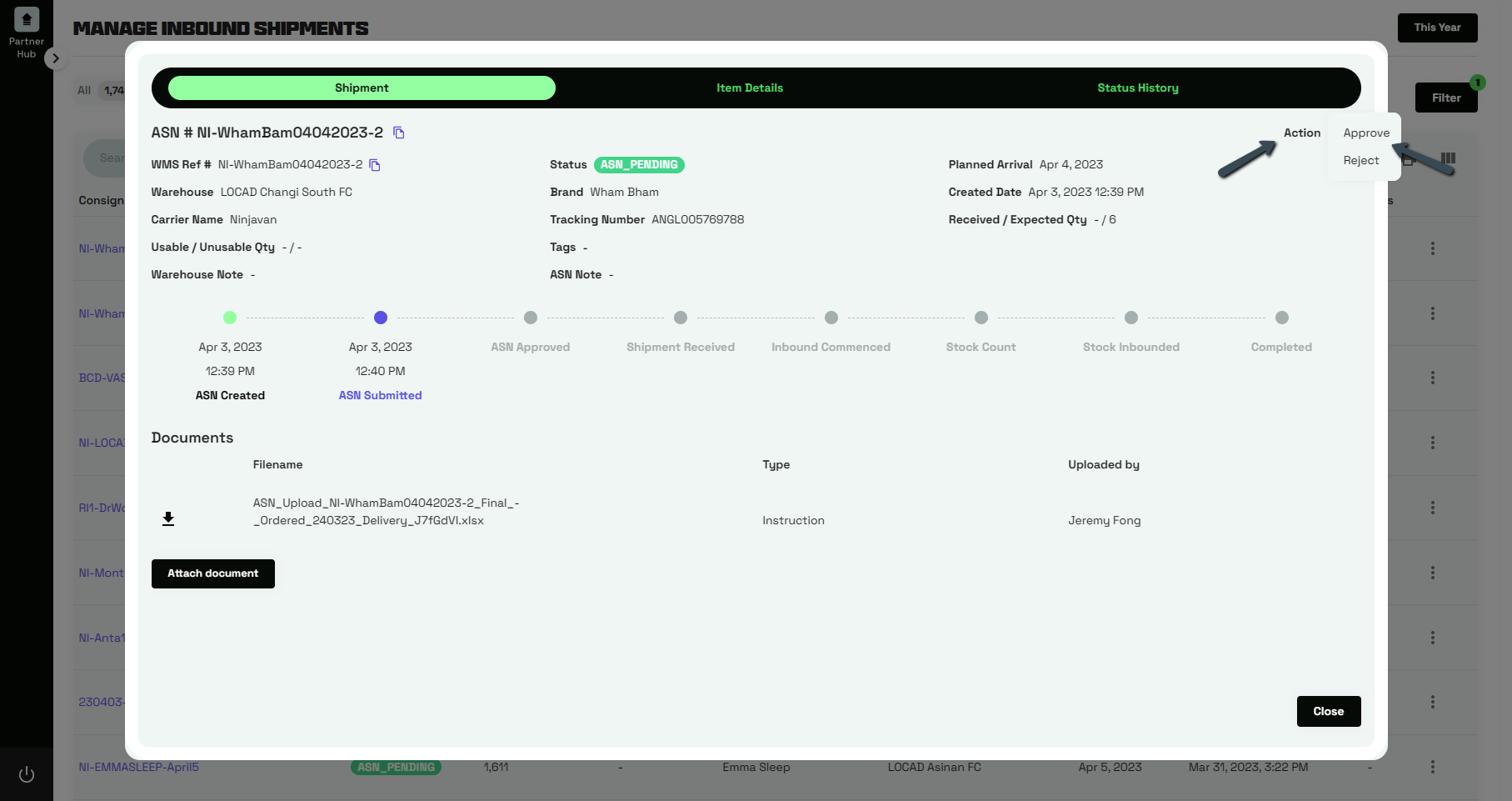
- Click the Consignment Number to view the details of the request
- Upon reviewing the info, click "Action" at the top right corner and then follow by "Approve" or "Reject"
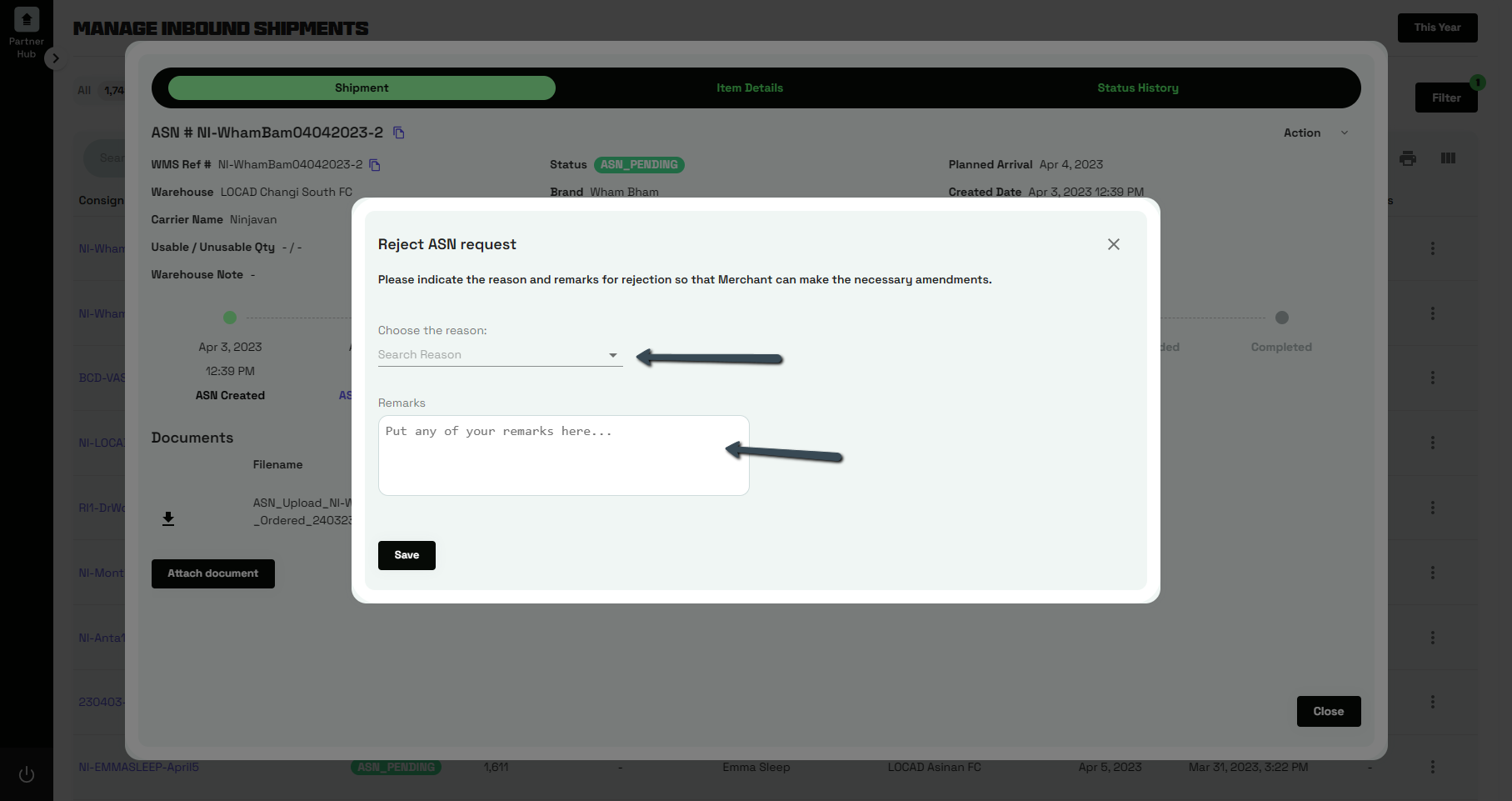
- If you are rejecting the request, please indicate the reason and remarks so that the Client can take note of the issue. Click "Save".
Was this article helpful?
That’s Great!
Thank you for your feedback
Sorry! We couldn't be helpful
Thank you for your feedback
Feedback sent
We appreciate your effort and will try to fix the article